

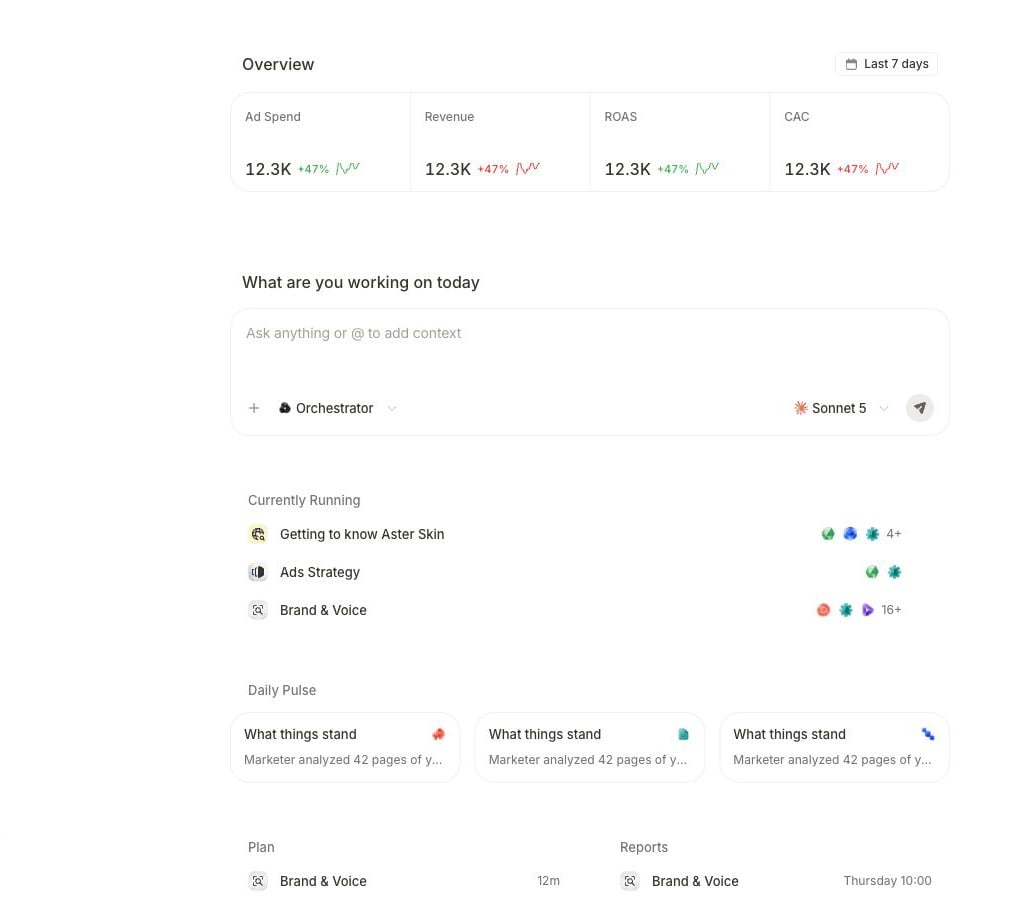
The Home canvas combines performance context, the request composer, active work, and recurring outputs.
Orient yourself
Confirm the active workspace before you attach records or approve work. Use the main surfaces for distinct questions:- Home starts a request and shows current workspace context.
- Chats and tasks reopens prior conversations and longer work.
- Activity and the Agents panel show progress, outputs, and sources.
- Awaiting action in Quick actions holds decisions that still need review.
- Product surfaces such as Analytics, Campaigns, Creatives, and Workflow show the current state of the resulting work.
Use request → work → review
1
Request a clear outcome
Name the deliverable, evidence, scope, and authority boundary. Select + for an exact product, brief, campaign, or creative, and select Upload files for a one-off document. Use
@ to mention an agent.2
Follow the visible work
A request can return a direct answer, continue as a task, ask for input, or present a proposal. Read the current state and open the task or Agents panel when you need its steps, sources, or outputs. Proposal controls vary; review the displayed cancel, edit, and run branches before allowing work to begin.
3
Review the result
Open the actual deliverable and compare it with the request. Verify decision-driving sources, accounts, dates, attribution, currency, and freshness. Treat suggested follow-ups as new requests. If a separate connected-account change needs approval, decide it in Awaiting action, then confirm the result in the product surface that owns it.
Continue with the detailed flows
Use Home and the composer
Select exact context, choose automatic routing or a specialist, and handle composer holds.
Navigate the workspace
Reach recent work, hidden destinations, and configurable tools through Quick actions.
Build a grounded request
Attach exact workspace records and define the output and authority boundary.
Recognize the response branch
Distinguish a direct answer, question, proposal, task, and terminal result.
Answer or approve
Resolve the exact question or decision without granting broader authority.
Follow task progress
Read task states, open agent detail, and inspect the finished result.
Control and recover a task
Resume, stop, recover, and verify the selected run.
Inspect specialist work
Navigate the Agents workbench from overview to one specialist’s outputs and sources.
Make a pending decision
Review the proposed change, choose a decision, and verify what happened next.
Reopen earlier work
Follow conversations and notification receipts back to their source.
Find chats and tasks
Search the combined history and open the correct conversation or run.