

Define the finish line
The task is complete when Marketer returns:- One evidence-led positioning direction
- A focused campaign sequence
- A launch checklist
- The workspace sources and connected account context it used
- Clear assumptions or missing evidence
- Confirmation that no campaign, creative, budget, or provider setting changed
Submit the request
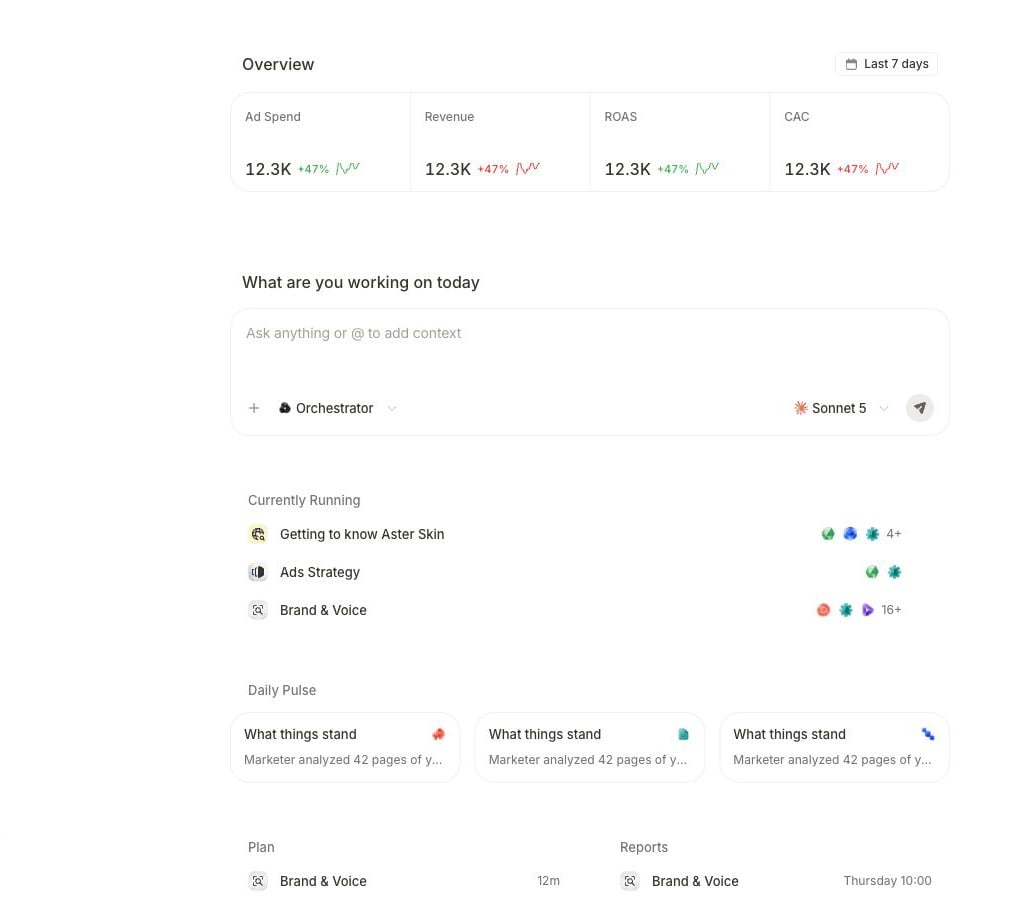
Start on Home, where performance context and the request composer share one working surface.
1
Open Home
Go to Home and confirm the active workspace before you submit anything.
2
Attach exact context when needed
Select + and choose the exact product, brief, campaign, or creative when it is part of the request. Saved Knowledge is available as workspace context; select Upload files on Home for a one-off document. Use
@ to mention an agent.3
Send a bounded request
Paste the request below and replace the bracketed details.
4
Answer only required clarification
If Marketer asks for the product, audience, offer, account, or evidence boundary, answer that gap without widening the task into production work.
Follow the active work
Longer work exposes its current step and supporting activity.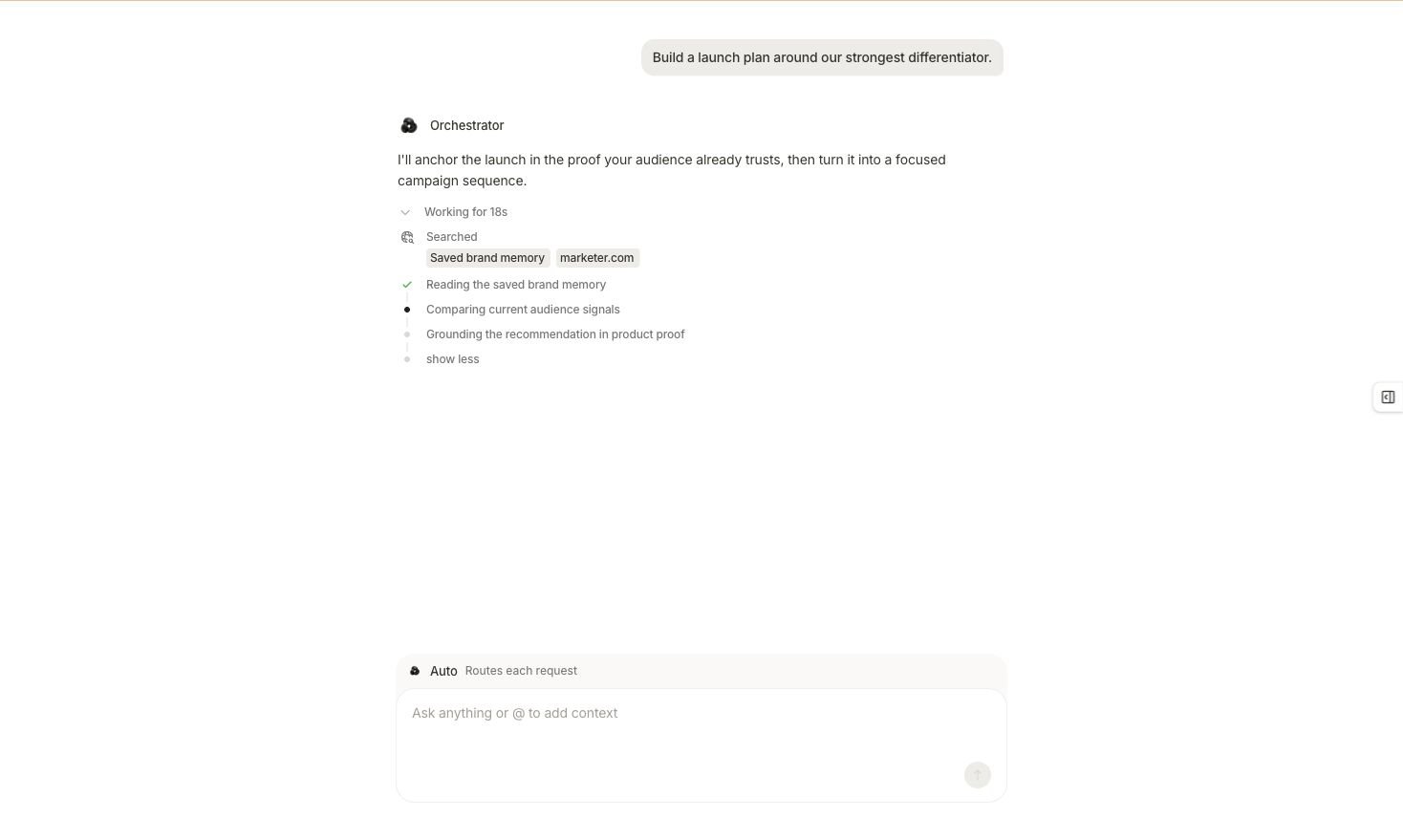
An active launch-plan task shows completed work, the current step, and the evidence being searched.
- Confirm the original request still says plan and no changes.
- Read the latest meaningful step rather than treating an interim sentence as the result.
- Resolve a named connection, permission, or context gap before retrying.
- Keep the existing task open or return through its task link instead of submitting a duplicate.
- Wait for a completed result before carrying the plan into another surface.
Review the completed plan
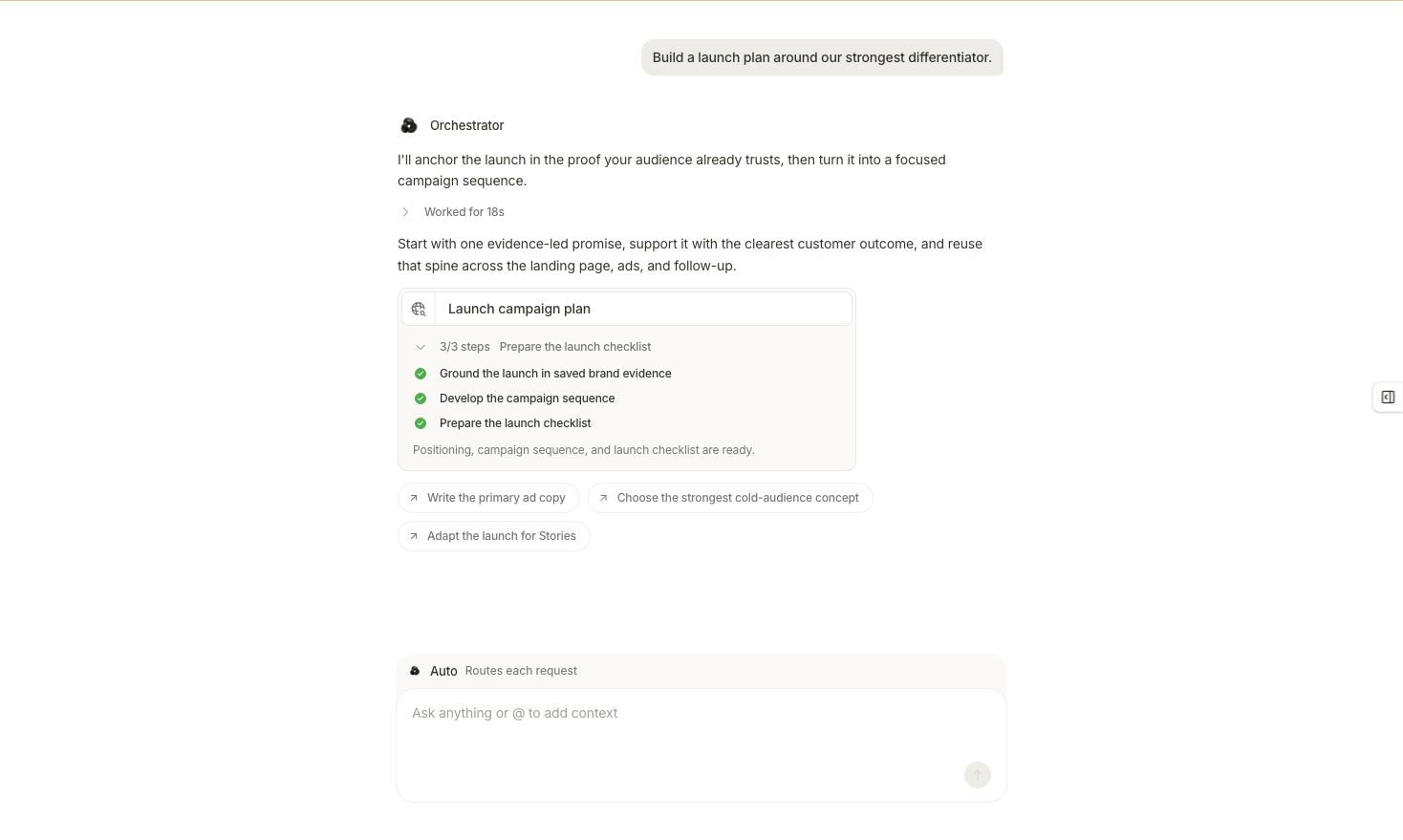
The completed task returns a launch-plan receipt, its finished steps, and optional follow-up directions.
Suggested follow-up buttons are new requests you may choose. They do not mean copy, creative, or a campaign already exists.
Recognize the execution branch
If you ask Marketer to continue from planning into multi-step production work, it can present a proposal before that work begins.- Choose Cancel when the displayed work should not continue.
- Choose Edit or Edit brief when the outcome, inputs, steps, or authority boundary are wrong.
- Choose the proposal’s displayed run control—Accept & Run, Approve & Run, or Run it—only when you intentionally want that work to run under the applicable workspace policy.
Verify the central claim
Send this follow-up in the same conversation:
Do not move into creative production or campaign setup until the plan’s evidence, scope, and action state are clear.