

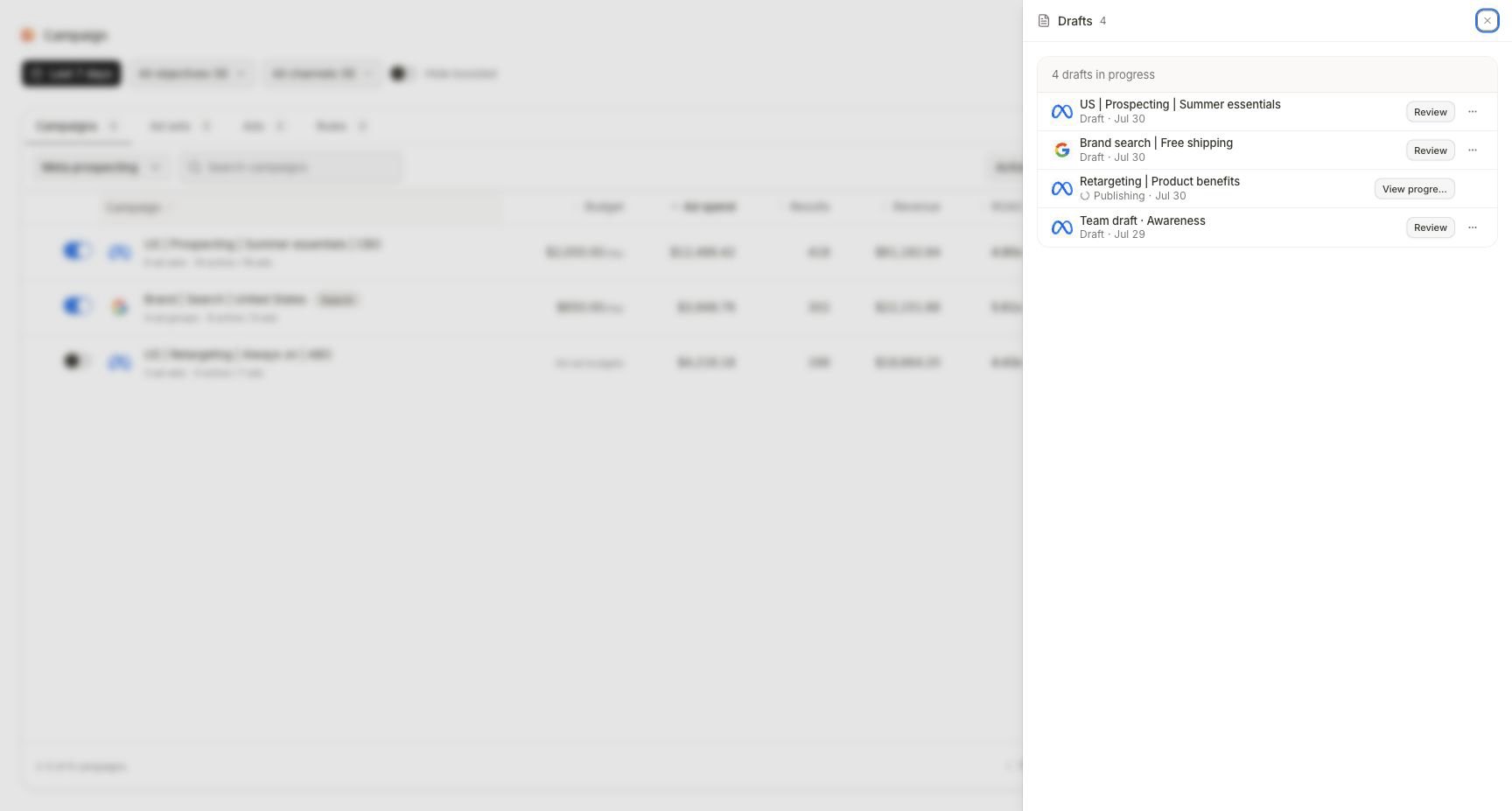
Drafts separates work you can still edit from publishing work that must be followed through launch progress.
Read the state before choosing an action
Do not start a new campaign just because a launch is slow. A second submission can create duplicate campaigns, child objects, or ads while the first is still resolving.
Resume an editable draft
1
Identify the exact draft
Confirm provider, draft name, last-updated state, and campaign type where shown. Similar names are not interchangeable.
2
Open Review
Select Review to resume the stored builder. A Google draft returns to its stored type; a Meta draft returns to its saved campaign tree.
3
Check for stale inputs
Reverify account access, budget, dates, destination, product availability, audience, conversion, and creative. A draft can remain valid structurally while its business inputs become stale.
4
Resolve validation
Open each named blocker and correct the owning object. Do not recreate the draft to bypass a specific validation message.
5
Publish only after a fresh review
Confirm the final object counts and target state, then approve the provider submission.
Interpret launch progress
A launch can create several provider objects. Read progress at the campaign, child, and ad levels rather than relying on the top summary alone. For each expected object, record:- Intended object and parent
- Current launch state
- Provider identifier when created
- Failure or warning text
- Whether a retry is offered
- Final provider status
Recover from a partial launch
1
Freeze new submissions
Do not publish the campaign again while the original launch can still progress.
2
Inventory successful objects
Use View progress, Campaigns, and the provider account to identify exactly what already exists.
3
Read the failed object's reason
Locate the validation, authorization, provider, asset, or destination failure at the lowest failed object.
4
Repair the owning input
Correct only the failed configuration or connection. Preserve provider identifiers for every successful object.
5
Use the offered retry path
Retry only after the original state is terminal and the product exposes a scoped recovery action. If the UI proposes a broad re-publication, verify it will not duplicate successful objects before confirmation.
6
Verify parentage and state
Confirm the recovered child or ad belongs to the intended campaign and reaches the planned initial status.
Completion check
- The resumed record is the intended provider and draft.
- Business inputs were revalidated after the last edit.
- Review shows the expected campaign, child, and ad count.
- Every launch object reached a terminal state.
- Successful provider objects and their parentage are recorded.
- No duplicate campaign, child, or ad was created during recovery.
- Campaigns and the provider show the expected post-launch status.
Troubleshooting
A draft opens the wrong builder
A draft opens the wrong builder
Return to Drafts and confirm provider, type, and name. A stored Google draft intentionally resumes its original type; create a new draft if the campaign type truly needs to change.
A launch appears stuck
A launch appears stuck
Open View progress, inspect the lowest unresolved object, and check provider authorization and task activity. Avoid repeating publish while the run remains non-terminal.
Some provider objects exist and others failed
Some provider objects exist and others failed
Treat the launch as partial. Inventory the successful identifiers, fix the exact failed input, and use the scoped retry only after confirming it preserves successful objects.
Campaigns does not show a successful object yet
Campaigns does not show a successful object yet
Verify it in the provider, then wait for the connected account to sync. Keep the launch record and provider identifier; do not recreate the object to make the table update faster.
The launch needs approval
The launch needs approval
Open Awaiting action, compare the exact target, old and new state, budget, schedule, and risk flags, then return to View progress after the decision.
Continue
Inspect the live object
Confirm the hierarchy, status, and eligible live controls.
Review Awaiting action
Decide against the exact proposed provider effect.