> ## Documentation Index
> Fetch the complete documentation index at: https://docs.marketer.com/llms.txt
> Use this file to discover all available pages before exploring further.
# Run your first task
> Build a grounded launch plan, follow its visible work, and verify the result without changing a live account.
Your first task should produce one useful artifact without changing an external account. This flow creates a launch plan from approved workspace context, follows the work while it runs, and verifies the completed plan before any execution is proposed.
## Define the finish line
The task is complete when Marketer returns:
* One evidence-led positioning direction
* A focused campaign sequence
* A launch checklist
* The workspace sources and connected account context it used
* Clear assumptions or missing evidence
* Confirmation that no campaign, creative, budget, or provider setting changed
Before you start, confirm that you are in the intended workspace, the relevant ads provider is connected, and **Knowledge** contains approved brand or product evidence. Keep the first run at plan level.
## Submit the request
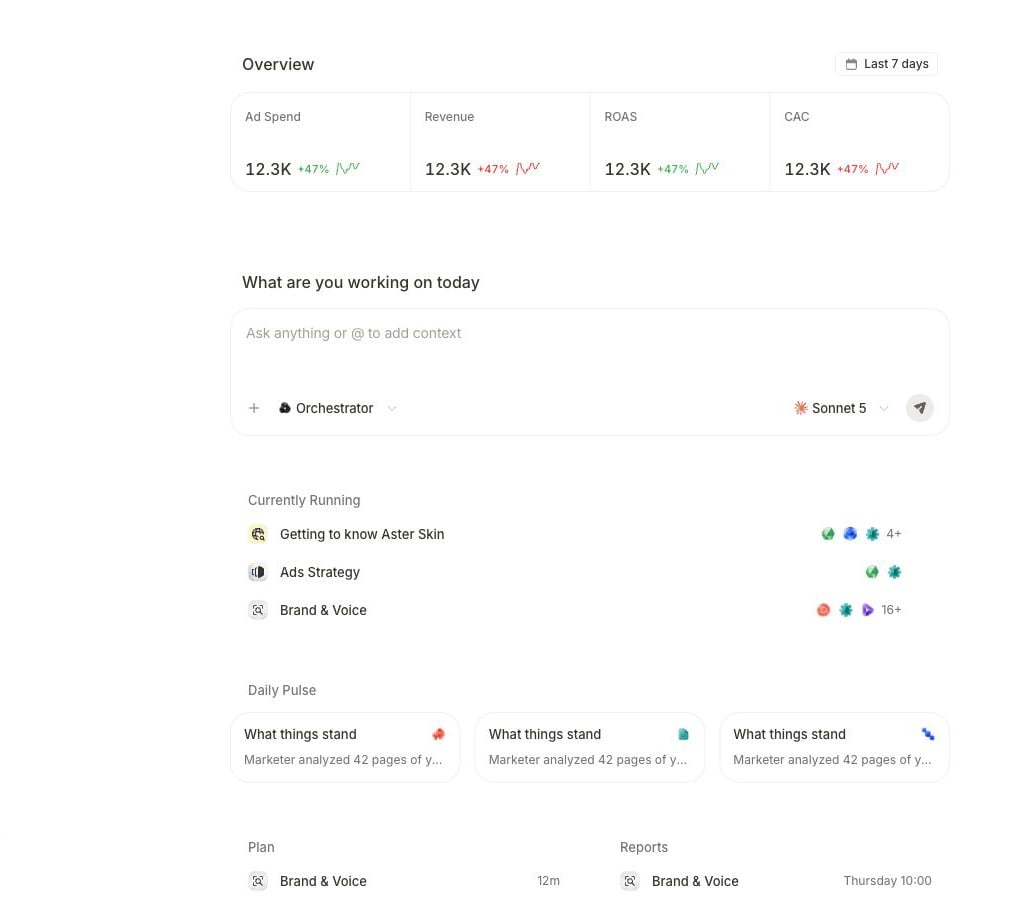 Go to [Home](https://app.marketer.com/dashboard) and confirm the active workspace before you submit anything.
Select **+** and choose the exact product, brief, campaign, or creative when it is part of the request. Saved Knowledge is available as workspace context; select **Upload files** on Home for a one-off document. Use `@` to mention an agent.
Paste the request below and replace the bracketed details.
```text theme={null}
Build a launch plan for [product or offer] around our strongest proven
differentiator. Use approved workspace Knowledge and only the connected
[Meta Ads or Google Ads] context for [provider account]. Return one
positioning direction, a focused campaign sequence, and a launch checklist.
Name the evidence you used, separate facts from assumptions, and flag missing
context. Keep everything as analysis and a plan. Do not create, edit, publish,
pause, or launch anything.
```
If Marketer asks for the product, audience, offer, account, or evidence boundary, answer that gap without widening the task into production work.
## Follow the active work
Longer work exposes its current step and supporting activity.
Go to [Home](https://app.marketer.com/dashboard) and confirm the active workspace before you submit anything.
Select **+** and choose the exact product, brief, campaign, or creative when it is part of the request. Saved Knowledge is available as workspace context; select **Upload files** on Home for a one-off document. Use `@` to mention an agent.
Paste the request below and replace the bracketed details.
```text theme={null}
Build a launch plan for [product or offer] around our strongest proven
differentiator. Use approved workspace Knowledge and only the connected
[Meta Ads or Google Ads] context for [provider account]. Return one
positioning direction, a focused campaign sequence, and a launch checklist.
Name the evidence you used, separate facts from assumptions, and flag missing
context. Keep everything as analysis and a plan. Do not create, edit, publish,
pause, or launch anything.
```
If Marketer asks for the product, audience, offer, account, or evidence boundary, answer that gap without widening the task into production work.
## Follow the active work
Longer work exposes its current step and supporting activity.
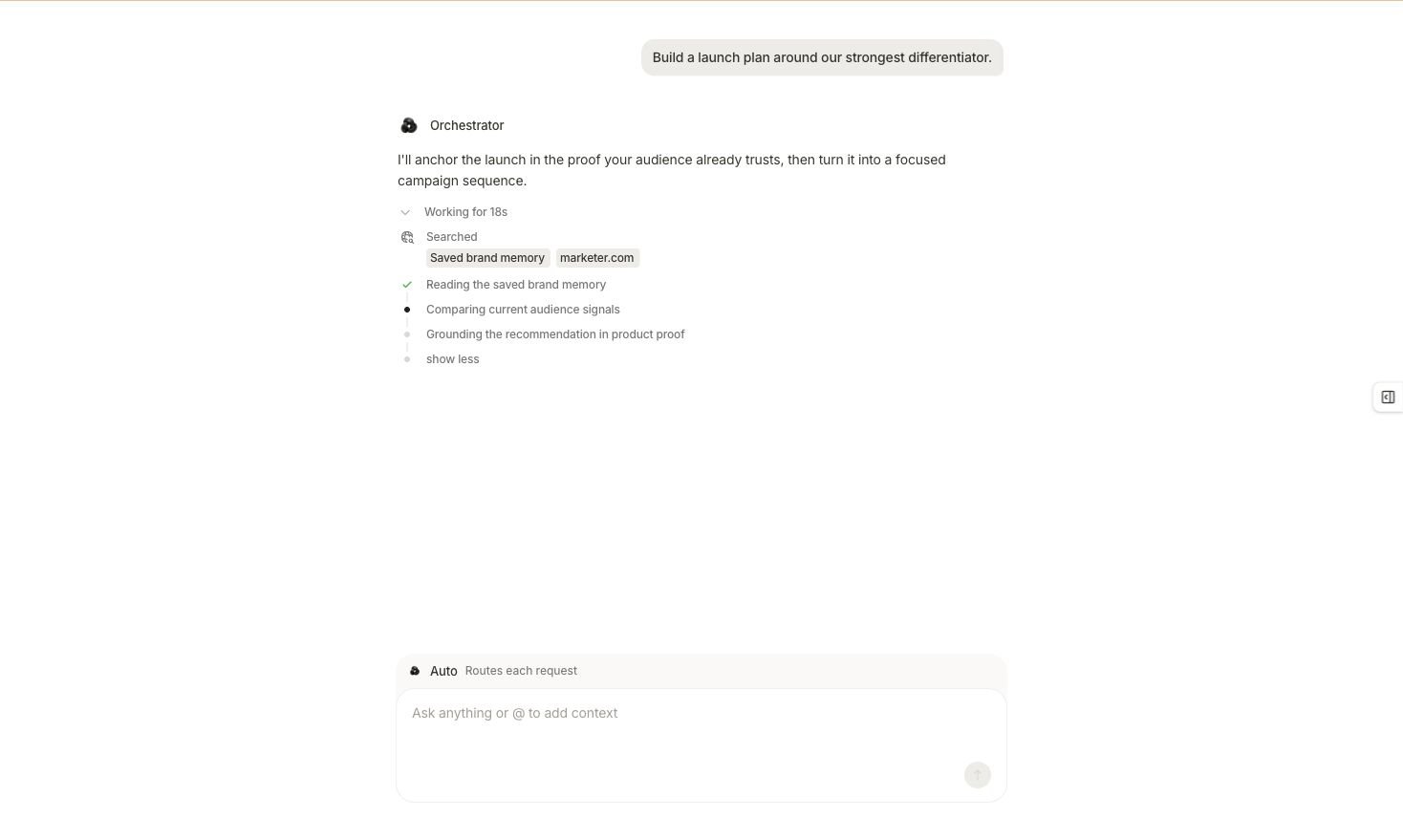 While the task is active:
1. Confirm the original request still says **plan** and **no changes**.
2. Read the latest meaningful step rather than treating an interim sentence as the result.
3. Resolve a named connection, permission, or context gap before retrying.
4. Keep the existing task open or return through its task link instead of submitting a duplicate.
5. Wait for a completed result before carrying the plan into another surface.
## Review the completed plan
While the task is active:
1. Confirm the original request still says **plan** and **no changes**.
2. Read the latest meaningful step rather than treating an interim sentence as the result.
3. Resolve a named connection, permission, or context gap before retrying.
4. Keep the existing task open or return through its task link instead of submitting a duplicate.
5. Wait for a completed result before carrying the plan into another surface.
## Review the completed plan
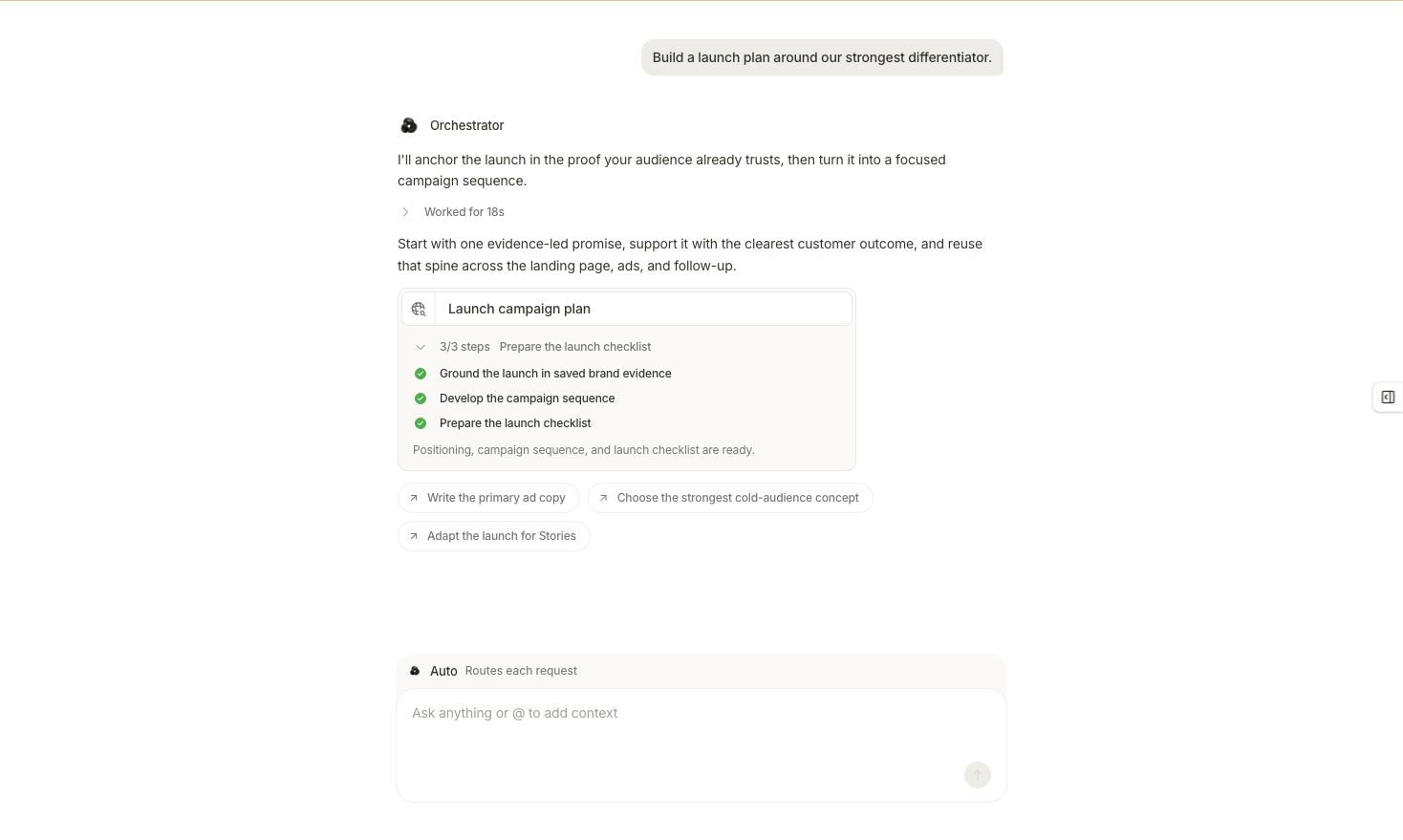 Treat the plan as reviewable only when you can answer these questions:
| Check | What to verify |
| ------------ | ----------------------------------------------------------------------------------------------- |
| Scope | The intended product, audience, offer, workspace, and provider account |
| Evidence | The approved Knowledge or connected source behind the differentiator |
| Positioning | One clear promise supported by a customer outcome or product proof |
| Sequence | The proposed campaign stages, channels, or messages form a coherent path |
| Checklist | Owners, inputs, tracking, creative, destination, budget boundary, and review steps are explicit |
| Limitations | Assumptions, missing evidence, stale context, and unresolved decisions are named |
| Action state | The output is a plan; no connected-account or workspace change is reported as complete |
Suggested follow-up buttons are new requests you may choose. They do not mean copy, creative, or a campaign already exists.
## Recognize the execution branch
If you ask Marketer to continue from planning into multi-step production work, it can present a proposal before that work begins.
* Choose **Cancel** when the displayed work should not continue.
* Choose **Edit** or **Edit brief** when the outcome, inputs, steps, or authority boundary are wrong.
* Choose the proposal's displayed run control—**Accept & Run**, **Approve & Run**, or **Run it**—only when you intentionally want that work to run under the applicable workspace policy.
For this first task, do not approve the proposal. Keep the launch plan as the reviewed output. A proposal is not proof that its steps ran or that an external account changed.
## Verify the central claim
Send this follow-up in the same conversation:
```text theme={null}
Audit this launch plan before I use it. For the central differentiator, name
the exact supporting source and distinguish quoted or measured facts from your
interpretation. List every assumption and missing input. Confirm the product,
audience, offer, workspace, provider account context, and that no campaign,
creative, budget, or provider setting changed.
```
Then follow the matching branch:
| Result state | Continue with |
| ---------------------------------------------- | -------------------------------------------------------------------------------------------------------- |
| Evidence and scope reconcile | [Review your result](/get-started/review-result), then carry the accepted plan into one downstream flow. |
| The differentiator is unsupported | Correct or add the authoritative Knowledge source, then run a new task. |
| The product, account, or audience is wrong | Attach the exact record and regenerate the plan. |
| Important inputs are missing | Keep the plan provisional and supply only the missing evidence. |
| The result creates work instead of planning it | Keep the proposal unresolved, edit it back to plan level, or dismiss it. |
Do not move into creative production or campaign setup until the plan’s evidence, scope, and action state are clear.
## Related topics
- [Set up your workspace and data](/get-started/workspace-and-data.md)
- [Task control and recovery](/working-with-marketer/task-control-and-recovery.md)
- [Tasks and activity](/working-with-marketer/tasks-and-activity.md)
- [Questions and approvals](/working-with-marketer/questions-and-approvals.md)
- [Introduction to Marketer](/get-started/introduction.md)
Treat the plan as reviewable only when you can answer these questions:
| Check | What to verify |
| ------------ | ----------------------------------------------------------------------------------------------- |
| Scope | The intended product, audience, offer, workspace, and provider account |
| Evidence | The approved Knowledge or connected source behind the differentiator |
| Positioning | One clear promise supported by a customer outcome or product proof |
| Sequence | The proposed campaign stages, channels, or messages form a coherent path |
| Checklist | Owners, inputs, tracking, creative, destination, budget boundary, and review steps are explicit |
| Limitations | Assumptions, missing evidence, stale context, and unresolved decisions are named |
| Action state | The output is a plan; no connected-account or workspace change is reported as complete |
Suggested follow-up buttons are new requests you may choose. They do not mean copy, creative, or a campaign already exists.
## Recognize the execution branch
If you ask Marketer to continue from planning into multi-step production work, it can present a proposal before that work begins.
* Choose **Cancel** when the displayed work should not continue.
* Choose **Edit** or **Edit brief** when the outcome, inputs, steps, or authority boundary are wrong.
* Choose the proposal's displayed run control—**Accept & Run**, **Approve & Run**, or **Run it**—only when you intentionally want that work to run under the applicable workspace policy.
For this first task, do not approve the proposal. Keep the launch plan as the reviewed output. A proposal is not proof that its steps ran or that an external account changed.
## Verify the central claim
Send this follow-up in the same conversation:
```text theme={null}
Audit this launch plan before I use it. For the central differentiator, name
the exact supporting source and distinguish quoted or measured facts from your
interpretation. List every assumption and missing input. Confirm the product,
audience, offer, workspace, provider account context, and that no campaign,
creative, budget, or provider setting changed.
```
Then follow the matching branch:
| Result state | Continue with |
| ---------------------------------------------- | -------------------------------------------------------------------------------------------------------- |
| Evidence and scope reconcile | [Review your result](/get-started/review-result), then carry the accepted plan into one downstream flow. |
| The differentiator is unsupported | Correct or add the authoritative Knowledge source, then run a new task. |
| The product, account, or audience is wrong | Attach the exact record and regenerate the plan. |
| Important inputs are missing | Keep the plan provisional and supply only the missing evidence. |
| The result creates work instead of planning it | Keep the proposal unresolved, edit it back to plan level, or dismiss it. |
Do not move into creative production or campaign setup until the plan’s evidence, scope, and action state are clear.
## Related topics
- [Set up your workspace and data](/get-started/workspace-and-data.md)
- [Task control and recovery](/working-with-marketer/task-control-and-recovery.md)
- [Tasks and activity](/working-with-marketer/tasks-and-activity.md)
- [Questions and approvals](/working-with-marketer/questions-and-approvals.md)
- [Introduction to Marketer](/get-started/introduction.md)